

Desktop clients
Back to PlatformMCP on Amazon Quick
Connect Onboard hosted MCP to Amazon Quick (remote HTTP) with your API key and production URLs.
Amazon Quick can use remote Model Context Protocol servers over HTTP. This guide matches the Edit MCP dialog in the Quick desktop app.
Before you start
Complete the requirements on MCP setup (Admin access, MCP plan, API key from Integrations → API).
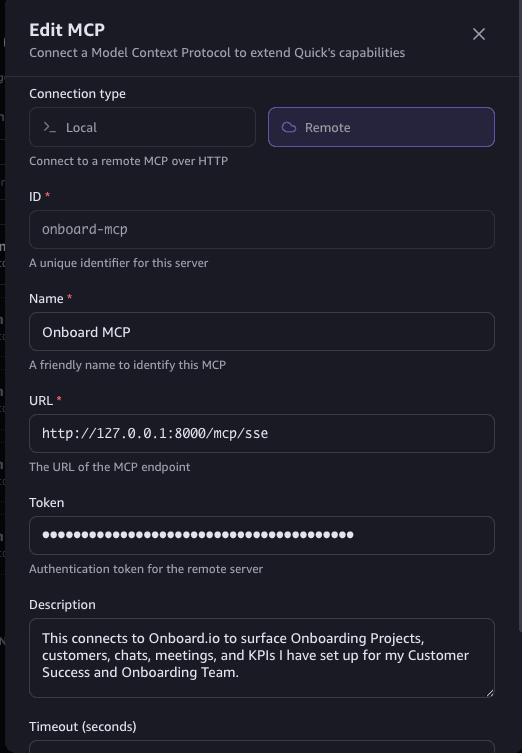
Configure Remote MCP
- Open the MCP server editor in Quick and choose Remote (not Local).
- ID — any stable identifier you control (for example
onboard-mcp). - Name — a label your team will recognize (for example
Onboard MCP). - URL —
https://rest.onboard.io/mcp/sse(no trailing slash). - Token — paste the same Onboard API key you use for the REST API from Integrations → API.
- Description — optional; describe what Onboard data this server exposes for your team.
The screenshot below shows the dialog. The sample URL in the image points at
a local developer host; in production always use https://rest.onboard.io/mcp/sse.
AWS documentation
Quick’s own limits (OAuth, connectors, timeouts) are documented in AWS Model Context Protocol (MCP) integration and MCP servers on the desktop client.
Related
- MCP setup — base URL, /mcp paths, authentication
- Security checklist
- MCP desktop clients
How is this guide?